
Graduation memories, together
A big achievement. Every proud moment.
Collect graduation photos, videos, congratulations, and memories from family, friends, and classmates. No guest app or account required.
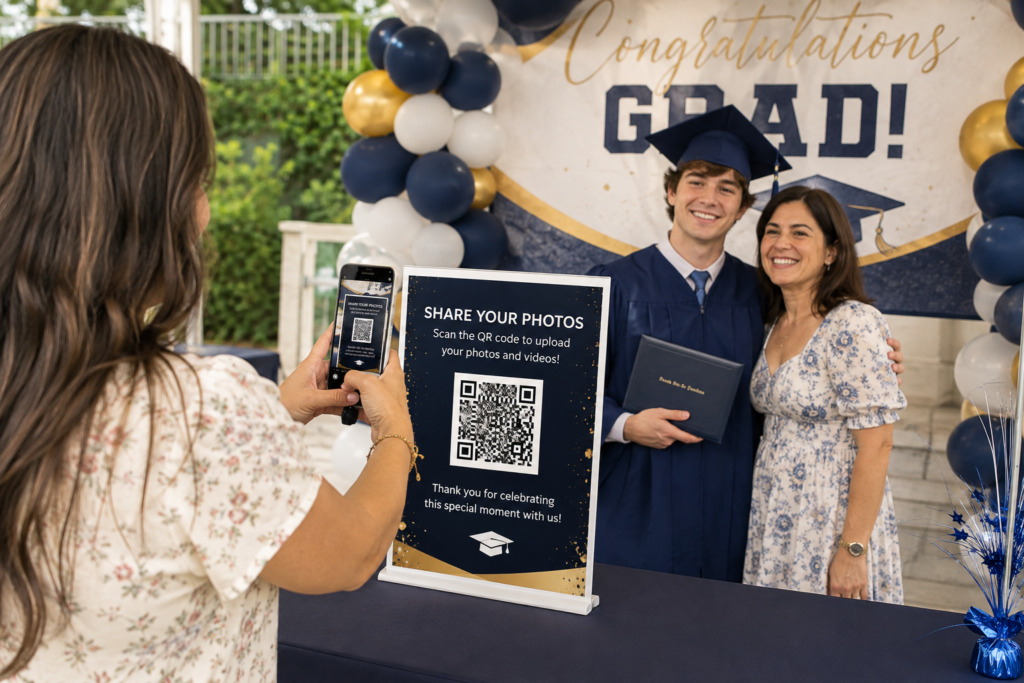
Keep the moments—and the messages.
What your guests saw
Photo Drop
Bring together ceremony pictures, cap-and-gown portraits, party videos, family photos, and candid moments.
$29 launch price
Choose Photo DropWhat they want to say
Digital Guestbook
Save congratulations, advice, encouragement, favorite memories, and optional photos for the graduate.
$29 launch price
Choose GuestbookGet both for $49 — save $9
Photo Drop + Digital Guestbook for the same event.
One place for your Graduation memories.
- Create your event. Purchase Photo Drop and enter your event name and date during checkout.
- Share your QR code. Display it on party tables, welcome signs, announcements, or invitations. You can also send the upload link directly.
- Guests contribute. They upload photos and videos through their phone browsers without an app or guest account.
- Keep the collection. Use your private Event Portal to view and download submitted media. Save your files before the 90-day retention period ends.

Make the celebration yours
Photos to enjoy. Messages to revisit.
Give guests a place to contribute the memories that matter. Digital Guestbook themes are starting points: depending on the design, personalize the title, colors, background, and other appearance settings.
Explore our wedding and quinceañera examples to see how a finished Guestbook and keepsake can look.
See Guestbook & Keepsake ExamplesCollect Graduation Memories From Ceremony to Celebration
Gather pictures from different viewpoints
Family members and classmates often capture different moments: the walk across the stage, cap-and-gown portraits, group pictures, and reactions in the audience. Share one Photo Drop upload link so they can contribute the photos and videos already saved on their phones.
Plan around the venue’s internet access
Guests need an internet connection to upload. If reception is poor at the ceremony, send the link afterward or use a QR code for graduation party photo sharing so guests can contribute later. Follow the ceremony venue’s photography rules when taking pictures.
Invite encouragement for what comes next
With Digital Guestbook, ask teachers, classmates, and relatives to leave congratulations, a favorite school memory, or advice for the graduate’s next chapter. People who cannot attend can participate through the Sign Guestbook link.
Graduation Photo Sharing: Frequently Asked Questions
How do I collect graduation photos from family and classmates?
Create a Photo Drop event and send its upload link to family and classmates, or display the QR code at your graduation celebration. They can upload photos and videos from their browsers without an app or guest account.
Can guests upload ceremony photos later at the graduation party?
Yes. Guests can choose photos and videos already saved on their phones, including ceremony pictures and cap-and-gown portraits. They need an internet connection to upload. Photo Drop files are retained for 90 days after the event date, so save your collection before that period ends.
Can teachers and distant relatives leave congratulations?
Yes. If you choose Digital Guestbook, share its Sign Guestbook link with teachers, friends, and relatives. They can leave congratulations, advice, memories, and an optional photo even if they cannot attend the party.
Bring more of the memories together.
Get Photo Drop and Digital Guestbook for the same event for $49.